Safeware Glasswall APAC Partner
Book a demo

One engine, three products

Every file rebuilt to a known-good standard, in under a second

Glasswall treats every file as untrusted, then validates it against the file-type specification and rebuilds it to a safe, standards-conformant copy. Unlike antivirus, sandboxing and EDR, it does not wait to detect a known threat. Glasswall reports 100% of malicious files neutralised across 8.27 million tested. The same patented CDR engine runs on the model your trust boundary requires: Genesis, Halo or Meteor, with AI-powered threat prediction scoring risk alongside. Glasswall builds the engine; Safeware delivers and supports it across APAC.

How Glasswall CDR works

The file you open is a new file, built to the specification

Glasswall does not examine a file and decide whether to trust it. It takes the file apart, keeps only what the format's published specification allows, and manufactures a new one from what remains. There is no verdict to get wrong, and none of the original bytes reach you.

Step 01

Inspect

The file is broken into its constituent structures and mapped against its manufacturer's published specification, so every part of it is either something the format allows or it is not.

Step 02

Repair

Structures that are unknown, invalid or malformed are repaired to that specification. Nothing is set aside for a person to judge later.

Step 03

Disarm

High-risk active content is removed to your policy: macros, embedded scripts, OLE objects. What goes is a setting you control, not a judgement the engine makes on your behalf.

Step 04

Rebuild

A new file is generated from scratch from what remains, following the format's specification. Original file chunks are not copied into a template.

Step 05

Deliver

Semantic checks confirm the rebuilt file is intact, and it arrives fully functional in under a second: CMYK images accurate, embedded fonts present, coordinates untouched.

Deployment models

Ten ways to put the rebuild where your files are

The decision framework is simple: match the model to where the file actually needs to be rebuilt. Halo covers the high-volume paths files already move through, and its Zero Trust Kiosk checks removable media at the door, Genesis is the engine itself on the command line, the Embedded Engine puts the rebuild inside your own software, and Meteor works where a server cannot reach.

Glasswall Halo

Managed Kubernetes

Halo is Kubernetes-native, so it runs on the managed control plane you already buy: Azure AKS, Amazon EKS, Google GKE or Oracle OKE. It auto-scales horizontally under high-volume file flows and puts the rebuild inline on the paths files already travel, integrated through the Integration APIs, Web gateway integration and Microsoft 365 storage protection.

Glasswall Halo
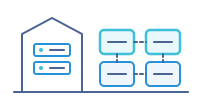
Self-managed Kubernetes

Or run the cluster yourself. A private Kubernetes cluster in your own datacentre or your own cloud subscription, on the virtual hosts you already operate: VMware vSphere, Proxmox or Amazon EC2. Same engine and the same policy model, on hardware you control.

Glasswall Halo

Virtual machine appliance

For sites that do not run Kubernetes themselves, Halo ships as a sealed virtual machine image, OVA or VHD: RHEL 9 hardened to DISA STIG with FIPS enabled, running single-node RKE2, dropped straight into the hypervisor you already operate. Same engine and the same policy model, with nothing for your team to assemble.

Glasswall Halo
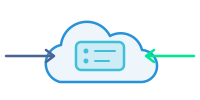
Managed SaaS

No cluster to stand up and nothing to operate. Safeware hosts Halo in our own infrastructure and runs it for you; you integrate through the Integration APIs or Web gateway integration.

Glasswall Halo
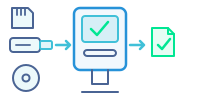
Zero Trust Kiosk

USB sticks, SD cards and discs are checked at the door, before their files reach your network. Encrypted drives are unlocked at the kiosk, the files go through Halo and your other checks, and the engineer collects what passed. One kiosk can run Halo by itself with no network connection, or many kiosks can share a central Halo on your network.

Glasswall Genesis
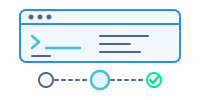
Command-line binary

The CDR engine itself, as one self-contained binary driven from the command line, and the same engine Halo and Meteor run. Any language that can start a process can call it, so it embeds in an OEM product just as readily as it drops into a build pipeline or a container step, on Linux, Windows and macOS, x64 and Arm64, with the runtime compiled in so there is nothing to install first.

Glasswall Embedded Engine

Embedded library

The other way to embed. Where Genesis is invoked as a process, the Embedded Engine links in as a native library: a C/C++ core with Java, Python and C# wrappers, so the file is rebuilt in process, inside your own binary, before your own code opens it. Choose it over the Genesis CLI when in-process is a hard requirement rather than a preference.

Glasswall Embedded Engine
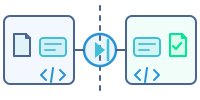
Cross-domain diode

For a cross-domain solution, the Embedded Engine rebuilds the file, then Transform to XML rewrites it as simple XML that a diode or gateway can check against a schema on the far side. The XML is turned back into the original format on arrival and checked again before the file reaches the high-trust network. Assessable against cross-domain control sets, not itself accredited.

Glasswall Meteor
Desktop agent

A single Windows installer with watched input and output folders: drop a file in, collect a rebuilt copy out, no integration work. Files are cleaned on the endpoint, and Meteor Pro extends the same engine across 200+ local and cloud storage platforms.

Glasswall Meteor
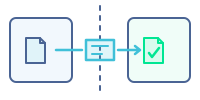
Air-gapped network

Runs fully disconnected inside an air-gapped, classified or in-country network: no internet dependency and no cloud call-out while a file is processed, with updates and policy delivered as offline packages. Files, policy and audit logs stay inside your boundary.


CDR tool

Glasswall Genesis

The CDR engine itself, as one self-contained binary. Take it on its own when the rebuild has to happen inside something you already own: your own product, a CI/CD pipeline, a cross-domain guard or a process running on the tactical edge.

  • Integrate once from the command line, in any language that can run a process
  • Runs as a binary or in a container on Windows, Linux and macOS, x86-64 and Arm64
  • Up to 2x faster processing on a memory-safe architecture
  • Specialist formats other tools flatten to PDF: geospatial, CAD, DICOM
Glasswall Genesis
Deployment
Self-contained binary or container
Integration
Command line (CLI)
Runs on
Windows, Linux, macOS (x86-64, Arm64)
Connectivity
Wherever the host runs, including fully offline
Typical use
OEM products, CI/CD, cross-domain guards, tactical edge
Safeware role
Integration advisory and QA

Native-format rebuild

The formats other tools flatten

A geospatial file is layers: imagery, vector overlays, terrain and structured metadata. Flatten it to PDF and all of it collapses into a picture, which is exactly what the analyst needed to keep. Glasswall rebuilds the file in its own format instead.

  • NITF, including MIL-STD-2500C and TRE analysis, alongside SIDD, GPX, KML, GeoJSON and SHP
  • CAD and engineering formats: DWG, DXF and STEP AP242
  • Fidelity preserved: CMYK-accurate images, embedded fonts, untouched coordinates
A geospatial file shown as separate layers: satellite imagery, vector overlays, terrain contours and structured data

Server

Glasswall Halo

Genesis running as a service, at the scale a gateway needs. Halo puts the rebuild inline on the paths files already travel: upload portals, email, web gateways, Microsoft 365 and, at the Zero Trust Kiosk, removable media.

This is the deployment for when the volume is continuous and the control has to be central: policy, dashboards, authentication and a per-file verdict record your auditors can read.

  • Kubernetes-native, on-premises or in your cloud
  • Integration APIs, Web gateway integration and Microsoft 365 storage protection
  • File reputation (ReversingLabs) and multi-AV scanning alongside the rebuild
  • Central policy, dashboards and per-file verdict records
Glasswall Halo
Deployment
Cloud, on-premises or air-gapped, on Kubernetes or as a virtual machine appliance
Integration
Integration APIs, Web gateway integration, Microsoft 365 storage protection
Runs on
Your cluster, on-premises or in your cloud
Connectivity
Online, on-premises or fully air-gapped
Typical use
Upload portals, email and web gateways, M365 estates, removable media (Zero Trust Kiosk)
Safeware role
Architecture, integration and production support

Desktop

Glasswall Meteor

Genesis on the endpoint, for the files that never touch a gateway. Drop a file in and a rebuilt copy comes back, on the desktop and across local and cloud storage.

It is the deployment for boundaries a server cannot reach: removable-media kiosks, analyst workstations inside a classified network, and post-breach work where nothing from before the incident should be trusted.

  • Runs online, offline or fully air-gapped
  • Desktop agent, folder sync, batch or inline
  • Nothing leaves the boundary: no telemetry egress, no cloud callback
  • Suits removable-media kiosks and transfer stations
Glasswall Meteor
Deployment
Desktop, on-premises or air-gapped
Integration
Desktop agent, folder sync, batch, inline
Runs on
Windows
Connectivity
Online, offline or fully air-gapped
Typical use
Removable-media kiosks, analyst desktops, post-breach remediation
Safeware role
Deployment hardening and governance

Deployment Comparison

Genesis, Halo and Meteor side by side

One engine, three ways to reach it. Halo and Meteor both run Genesis, so each rebuilds against the same published format specifications; what differs is where the rebuild happens and what it plugs into.

CapabilityGenesisHaloMeteor
Deployment modelSelf-contained binary or containerCloud, on-premises or air-gapped, on Kubernetes or as a virtual machine applianceDesktop, on-premises or air-gapped
Best forCDR inside your own application or pipelinePortal, email and gateway file flows at scaleDesktop, local and air-gapped file cleaning
Typical deploymentsOEM products, CI/CD, cross-domain guards, tactical edgeUpload portals, email and web gateways, Microsoft 365 estates, removable media (Zero Trust Kiosk)Removable-media kiosks, analyst desktops, post-breach remediation
IntegrationCommand line (CLI)Integration APIs, Web gateway integration, Microsoft 365 storage protectionDesktop agent, folder sync, batch, inline
Runs onWindows, Linux, macOS (x86-64 and Arm64)Your Kubernetes cluster, on-premises or in your cloudWindows
ConnectivityWherever the host runs, including fully offlineOnline, on-premises or fully air-gappedOnline, offline or fully air-gapped
File coverage140+ file extensions, the same engine in all threeOffice, PDF, image and archive formatsOffice, PDF, image and archive formats
Key differentiatorSpecialist formats and up to 2x faster processing, memory-safeInline CDR plus file reputation (ReversingLabs) and multi-AV scanning at gateway and M365 scaleNo data leaves the boundary, no telemetry egress, no cloud callback
Safeware role (APAC)Integration advisory and QAArchitecture, integration and production supportDeployment hardening and governance

File support

140+ file extensions, rebuilt with fidelity

The same Genesis engine underneath all three products, so coverage does not change with the deployment you choose. Format names are the manufacturers' own.

Documents

PDF · OOXML · Legacy Office · ODF · RTF

Executables and shortcuts

PE · ELF · Mach-O · LNK

Email

EML · MSG · Nested attachment processing

Geospatial and CAD

NITF, including MIL-STD-2500C and TRE analysis · SIDD · GPX · KML · GeoJSON · SHP · DWG · DXF · STEP AP242

Audio and video

H.264 · H.265 · MPEG-2 · MP4 · MP3 · WAV

Structured data and web

JSON · CSV · SVG · HTML · CSS

Imagery

JPEG · PNG · TIFF · GIF · BMP · HEIF · JPEG 2000 · WebP · WSQ · DICOM

Archive formats

ZIP · 7Z · RAR · TAR · GZ · BZ2 · XZ · ISO

Rebuilt in the native format

A document comes back a document. Files are not flattened to PDF to make them safe.

And the fidelity to match

CMYK-accurate images, embedded fonts intact, coordinates untouched. A rebuilt file nobody has to ask about.

Alongside the rebuild

AI-powered threat prediction scores files before they are opened

Every product above rebuilds a file. AI-powered threat prediction answers a different question: how likely was that file to be malicious in the first place.

Machine-learning models trained on the deep structural telemetry that CDR already produces score each PDF, DOCX and XLSX file, which surfaces unknown and zero-day threats before anyone opens them and gives a SOC something to triage on. It runs with any of the three, not instead of them.

  • Scores risk from the file's own structure, not a signature or a sandbox verdict
  • Glasswall reports a 0.015% false-positive rate for PDFs
  • Runs offline and air-gapped, like the rebuild itself
  • Feeds triage and SOC automation rather than blocking on a verdict
AI-powered threat prediction
What it is
A scoring capability, not a deployment model
Runs with
Genesis, Halo or Meteor
Delivery
CLI, Docker image or library
Connectivity
Offline and air-gapped
Safeware role
Deployment and operational support

Shared Capabilities

What every deployment includes

  • Zero Trust by default: every file is treated as untrusted, then validated and rebuilt to a safe, compliant standard, unlike antivirus, sandboxing and EDR, which wait to detect a known threat
  • Patented CDR, Inspect, Repair, Disarm, Rebuild, Deliver, that rebuilds each file against its file-type specification to a known-good copy in under a second
  • No signatures and no threat feeds in the CDR path, so it works the same offline and air-gapped as it does online
  • 140+ file extensions, including Office, PDF, images and archives
  • Policy-driven processing with configurable rules; active content such as macros, scripts and embedded objects is removed by default unless policy permits it
  • Rebuilding to a known-good template strips out the spare space that steganography and hidden data exploit, rather than trying to detect them after the fact
  • An analysis report on every file, in JSON or XML, for audit trails and SOC automation
  • Delivered and supported by Safeware across APAC: local-timezone support, in-region deployment engineers, architecture, integration and localisation

Deeper product documentation

API references, specifications and release notes are published by Glasswall. For scoping, integration and an APAC proof of concept, Safeware is your point of contact.

Book a Demo

Plan your Glasswall deployment with Safeware.

Share your operating context and file workflows. We'll map an implementation path for cloud, on-premises, and isolated environments with clear delivery milestones.